
6 Hidden ALPR Labor Costs That Can Double Your Budget
Understand why ALPR labor costs represent over 50% of overall ALPR implementation costs and learn practical strategies to avoid budget overruns

Introduction
When planning an ALPR implementation, most organizations focus their budgets on software and hardware elements like software licenses, edge devices, networking equipment, routing hardware, etc. These visible costs are easy to calculate. But there's a less obvious expense that catches organizations off guard: ALPR labor costs.
In the traditional parts and labor framework, parts include all equipment and software, while labor covers the human effort required to plan, install, configure, and maintain the system. Here's a surprising truth: labor often accounts for over 50% of total ALPR implementation costs. Yet it's consistently underestimated in initial planning.
Why? ALPR implementation requires coordinating multiple teams, integrating systems, planning installations, and training users. Each activity demands time from skilled professionals—and that time adds up quickly.
Consider this: $1,000 in parts might require $1,200 in labor for site assessment, installation planning, mounting, configuration, integration, testing, and training. Multiply that across dozens of cameras, and labor costs quickly exceed parts costs.
The problem isn't that labor is expensive—it's that many costs hide in plain sight. Even when vendors quote labor costs for their services, internal labor requirements are often overlooked. And when organizations handle implementation internally, they routinely underestimate the time and expertise required. These costs emerge gradually throughout the project, accumulating until they've doubled your budget.
Understanding these six hidden ALPR labor costs before implementation helps you plan accurately and avoid overruns.
Hidden Cost #1: Internal Project Management

Every ALPR implementation needs internal project management, but organizations underestimate what this requires.
The Real Scope: Project managers must coordinate with vendors and stakeholders, manage timelines, handle approvals across IT/security/legal teams, monitor vendor performance, ensure regulatory compliance, and navigate interdepartmental priorities.
Small implementations (15-20 cameras) might need 10-12 man-hours over a couple of weeks. Larger implementations, however, can require half-time or full-time work for months.
The Hidden Costs: Organizations assign this to existing staff without adjusting other work. Whether you use vendor project management or handle it internally, someone from your organization must coordinate stakeholders, manage internal approvals, and ensure the project aligns with business goals.
This creates opportunity costs (what valuable work isn't getting done?), extended timelines from divided attention, quality issues when details are missed, and staff burnout.
Management Strategy: Budget properly by hiring temporary help, reducing other responsibilities for the assigned manager, or using vendor project management services. Involve decision makers to ensure the right KPIs are established in a goal setting exercise from at the beginning.
Hidden Cost #2: Site Assessment and Planning

Thorough site assessment requires significant time. Cutting corners leads to expensive installation problems.
What's Involved: Real assessment means testing camera angles at different times of day to account for changing sunlight, evaluating mounting accessibility for installation and maintenance, checking power and network availability, identifying obstructions like trees or future construction, and coordinating permits and traffic management.
Even when vendors conduct site assessment, your internal team must participate to communicate coverage requirements, assess aesthetic impact on facilities, and ensure alignment with operational needs.
For small implementations, it is best to include assessment in vendor proposals. For larger projects, make it a separate feasibility study to understand true costs before committing.
The Hidden Costs: Quick or hasty scouting can miss critical details and cause installation surprises like the need for expensive bucket trucks and lane closures, rework when cameras must be moved, performance problems from poor angles or lighting, and timeline delays from unexpected permits.
Additionally, if actual site conditions prove more complex than anticipated, or if circumstances change during implementation, vendor quotes based on initial assessment may need an upward revision.
For example: A camera on an accessible pole costs hundreds to install. But if it is over a busy intersection requiring lane closures and bucket trucks? Thousands per location.
Management Strategy: Budget adequate number of hours per location for efforts put in by the internal team. Include IT, operations, and security in site visits. Document findings with photos and notes. Use findings to create realistic budgets that account for location-specific challenges. Ensure vendors are aligned with goals set early in the process.
Hidden Cost #3: Physical Installation

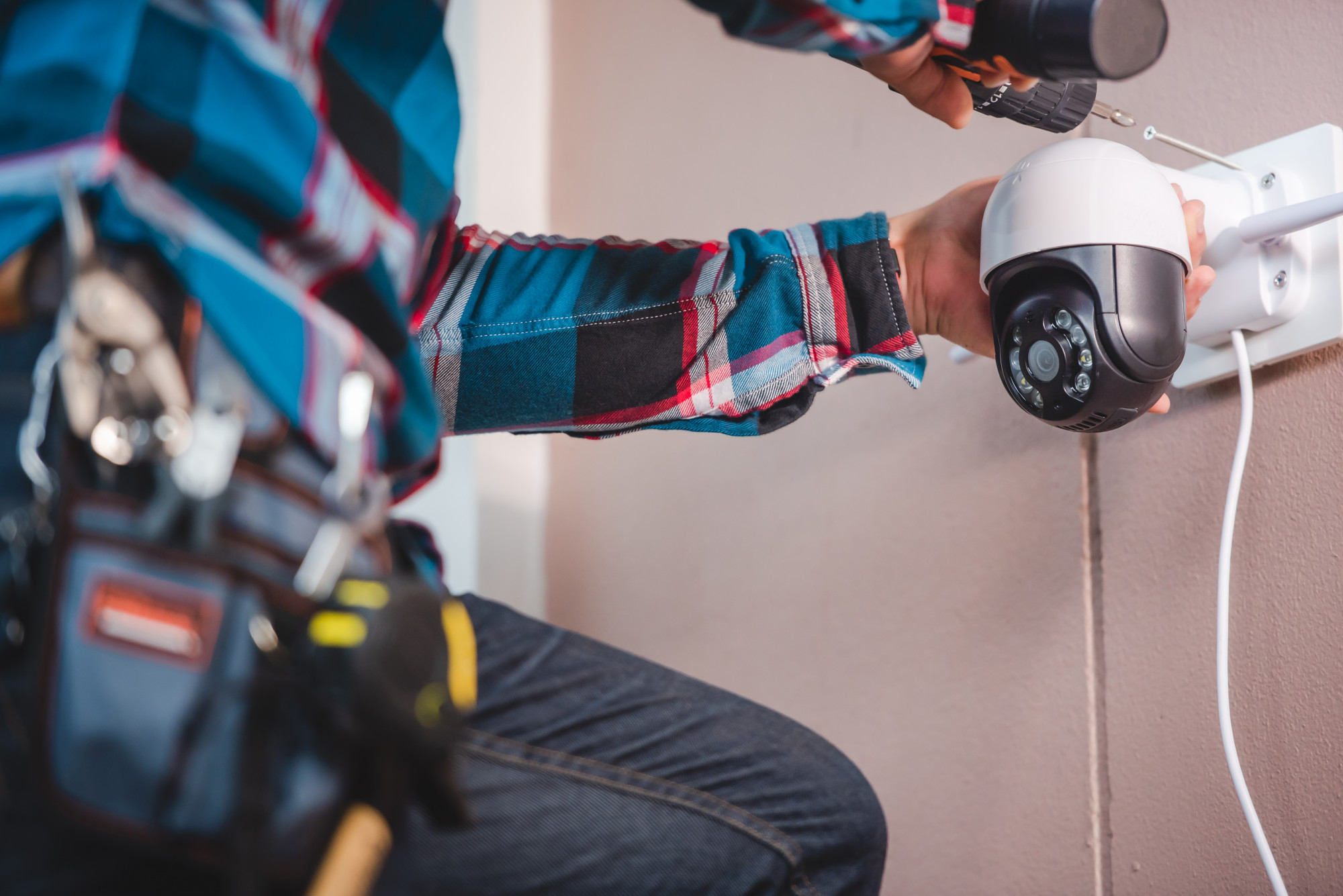
Installation complexity varies dramatically, but organizations routinely underestimate location-specific challenges.
Installation Variables: Ground-level installations with ladders cost hundreds. High installations requiring bucket trucks cost thousands. Traffic lane closures add thousands more for equipment and personnel.
Night or weekend installations (often necessary for busy locations) or during adverse weather, like peak winter, will mean premium labor rates. Multiple permits create fees and coordination costs.
Organizations often underestimate how many installations will fall into higher-cost categories, leading to budget overruns even when using vendor installation services.
The Hidden Costs: Budgeting with "average" costs misses special equipment rental, premium labor rates for off-hours work, traffic management expenses, weather delays, and accumulated permit fees.
Management Strategy: Choose accessible locations that minimize special equipment needs. Bundle nearby installations to share resources and reduce mobilization costs. Plan timing carefully—if night/weekend work is necessary, budget for premium rates upfront. Use existing infrastructure like poles or buildings. Start permit applications well before installation dates.
Hidden Cost #4: Technical Configuration and Integration

Technical configuration involves multiple phases requiring skilled IT resources.
Three Configuration Phases:
Phase One: Initial setup complexity varies by IT environment—security policies, network architecture, integration requirements, and user access configuration all take time.
Phase Two: System fine-tuning over weeks—monitoring camera performance, data flow, integration points with other systems, response times, and report generation.
Phase Three: Production transition—formal acceptance testing, documentation, stakeholder approval, and operational handoff.
The Hidden Costs: Budgeting only for initial setup forgets extended IT staff time, integration complexity when each connected system adds hours, troubleshooting delays, documentation creation, and multiple testing cycles.
Your IT team must work alongside vendor technicians to provide network access, security approvals, and system integration expertise regardless of who leads configuration.
If your internal team lacks specialized integration experience, you may need to hire a dedicated specialist or bring in a second vendor who specializes in system integration—costs often overlooked during initial budgeting.
Management Strategy: Define clear acceptance criteria upfront so everyone knows what success looks like. Allocate dedicated IT resources rather than dividing attention across projects. Consider standalone deployment if integration costs outweigh benefits. Build extra time for troubleshooting. Include performance penalties in vendor contracts to ensure timely delivery.
Hidden Cost #5: Training and Change Management

Training seems minor but determines whether your expensive system gets used effectively or sits idle.
What's Required: Comprehensive training includes intensive initial sessions for different roles, regular refresher courses, recorded sessions for new hires, train-the-trainer programs for internal experts, digital resources for on-demand help, and update training for new features.
Beyond vendor-provided training, someone internally must manage the training process—scheduling sessions, tracking completion, and ensuring the right people attend. Organizations often need to create supplementary training materials tailored to their specific workflows, policies, and procedures that vendors can't address.
Change management needs internal champions to support colleagues, user feedback collection, usage monitoring, and continuous improvement. Don't forget the cost of employee time spent in training—pulling 20 employees from their regular duties for half-day training sessions represents significant lost productivity.
The Hidden Costs: Budgeting only initial training leads to low utilization (staff avoiding the system), workarounds (reverting to old methods), overwhelmed help desks, new employees with no training path, and lost ROI from unused features.
Vendor training covers system operation, but your team must still create organization-specific procedures, provide ongoing support, and ensure adoption across departments.
Training costs are modest compared to system investment, but impact on ROI is enormous. Well-trained teams maximize benefits; poor training wastes the entire investment.
Management Strategy: Negotiate comprehensive training in vendor contracts, especially if you have high employee turnover. Create internal training materials for your specific workflows. Designate internal champions. Implement usage incentives. Schedule regular refreshers to reinforce skills and introduce new capabilities.
Hidden Cost #6: Quality Assurance and Performance Validation

Quality assurance is often skipped entirely, leading to disputes about whether the system works properly.
What's Required: QA needs clear "winning metrics"—specific criteria for installation completion, system performance standards, data quality requirements, operational uptime targets (like 99% camera availability), and response time expectations.
These metrics define contract payment triggers, guide maintenance schedules, indicate when tech refresh is needed, justify system value to stakeholders, and enable ROI tracking.
The Hidden Costs: Skipping QA definition causes disputes about proper function, vendors claiming completion while performance lags, no basis for maintenance decisions, and inability to demonstrate ROI to stakeholders.
Someone internally must define acceptance criteria, validate performance, and manage the testing process—work that exists whether implementation is internal or vendor-led.
Management Strategy: Define measurable success criteria before implementation. Establish testing protocols and acceptance procedures. Document baseline performance expectations. Create monitoring systems for ongoing validation. Build QA milestones into vendor contracts with payment tied to meeting defined standards.
5 Strategies to Manage ALPR Labor Costs
Strategy #1: Invest in Thorough Planning
Thorough planning prevents expensive mistakes and rework. Problems discovered during planning can be adjusted cheaply; the same problems during implementation cost ten times more to fix.
Labor cost savings: Planning identifies difficult installations before committing resources, reveals integration challenges while manageable, clarifies requirements before teams work at cross purposes, and prevents rework that doubles labor hours.
Use separate assessment contracts for large projects, proof of concept testing (4-10 cameras for 90 days), detailed project scoping, and stakeholder alignment upfront.
Example: A $5,000 site assessment reveals that 30% of your planned locations require expensive bucket trucks, costing $3,000 each instead of $500. Discovering this during planning lets you relocate cameras or adjust budgets. Discovering it during installation means paying $37,500 extra that wasn't budgeted.
Strategy #2: Structure Contracts Around Outcomes
Traditional contracts pay for tasks performed (installation hours, troubleshooting visits), creating wrong incentives—vendors profit when work takes longer. Performance-based contracts pay for results instead.
Labor cost savings: Vendors paid for system uptime have incentive to install correctly the first time and fix problems permanently. Payment tied to deadlines motivates efficient work. Quality requirements before payment ensure vendors allocate their best resources.
Pay for system uptime instead of repair visits. Define clear acceptance criteria triggering payments. Include performance penalties for missed deadlines. Reward early completion or exceptional performance.
Example: Per-camera pricing based on performance standards (rather than hourly billing) will empower you to withhold payment until cameras meet accuracy and uptime requirements, putting quality burden on the vendor and reducing your oversight labor.
Strategy #3: Optimize Installation Sequencing
Strategic scheduling reduces labor costs through efficiency and resource sharing. Every crew mobilization means paying for travel, equipment transportation, and setup. Every traffic control setup costs money. Minimizing these repetitions cuts costs directly.
Labor cost savings: Bundling installations eliminates redundant mobilization and travel time. Sharing resources means one bucket truck rental covers multiple cameras. Coordinating with other projects reduces your share of traffic control and permit costs.
Bundle nearby installations into clusters or batches, coordinate with other infrastructure projects, share resources across locations in sequence, and plan timing when access is easier. If you have finished 3 locations in a day and there’s a 4th location nearby, paying overtime to complete it will be more economical than renting equipment and engaging labor on a whole new day.
Example: Installing 50 cameras over 10 separate visits (5 cameras per visit) requires 10 crew mobilizations with associated travel and setup costs. Instead, plan 5 visits of 10 cameras each by grouping installations into geographic clusters. This approach cuts mobilization costs in half and can save 30-40% on total installation labor.
Strategy #4: Leverage Vendor Expertise Strategically
The question isn't whether vendor services cost money—it's whether they cost more than doing it yourself when accounting for all factors including fully-loaded internal costs (salary, benefits, equipment, training, opportunity cost).
Labor cost savings: Vendor specialists complete work faster through experience and expertise. This speed means fewer total hours even at higher rates. Vendors bring specialized equipment included in service rates. Expert installation done right eliminates rework labor from learning on the job.
Consider turnkey installation packages, managed configuration services, and bundled training programs when vendors deliver better efficiency.
Example: Your internal IT team might take 40 hours to configure system integration at $100/hour fully-loaded cost, totaling $4,000. A vendor specialist charging $200/hour completes the same work in just 12 hours for $2,400. Despite the vendor's higher hourly rate, you save $1,600 while freeing your team for other priorities.
Strategy #5: Implement Standardization and Automation
Every documented standard means the next person does it faster. Every automated routine task means ongoing labor savings that compound over years.
Labor cost savings: Standardization eliminates learning curves—the 50th installation takes half the time of the first. Documentation prevents rediscovering solutions to common problems. Automation handles routine tasks without human intervention, reducing operational labor permanently.
Develop standard camera positions and angles, create template configurations, document procedures, and use consistent hardware. Automate monitoring, reporting, data backup, and software updates.
Example: Your first 20 installations take 6 hours each (120 hours total). After documenting procedures and creating standard templates, installations 21-100 take 3.5 hours each. This saves 200 hours across 80 installations—five weeks of work worth $20,000 at $100/hour.
The Bottom Line
ALPR labor costs aren't "hidden"—they're just less visible than parts purchases. But they're predictable when you plan appropriately.
Successful organizations treat labor as strategic investment, not unfortunate expense. They budget realistically from the start, planning for labor to represent 50% or more of total costs.
One final consideration: successful implementations sometimes expand mid-project. When early results prove highly satisfactory, organizations often increase scope—sometimes growing the system by 50% or even 100% before initial implementation completes.
While this reflects success, it means all associated costs increase proportionally, including both parts and labor. Plan for this possibility by maintaining budget flexibility and ensuring your planning assumptions can scale.
Plan for labor as a major cost category from the beginning, and you'll stay in control of your budget throughout implementation.
Looking to elevate your security infrastructure with cutting-edge LPR solutions?
We are just a phone call away. Call us today at (813) 749-0892 for a free consultation.
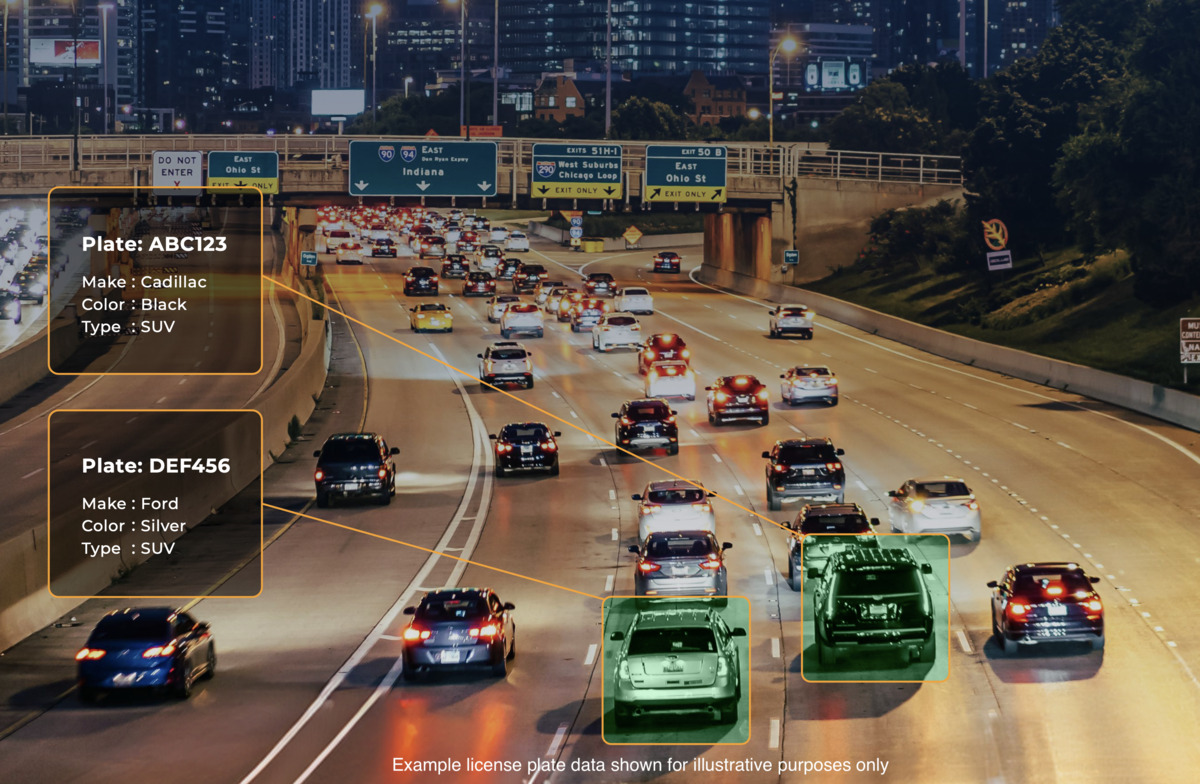
LICENSE PLATE RECOGNITION (LPR): THE ULTIMATE GUIDE TO VEHICULAR INTELLIGENCE
PlateSmart’s deep dive into License Plate Recognition and its immense contribution to security agencies and businesses.
Frequently Asked Questions About ALPR Labor Costs
(The visuals on this page are stock images, used for illustrative purposes only)